How Much Hosting Does a WooCommerce Store Need
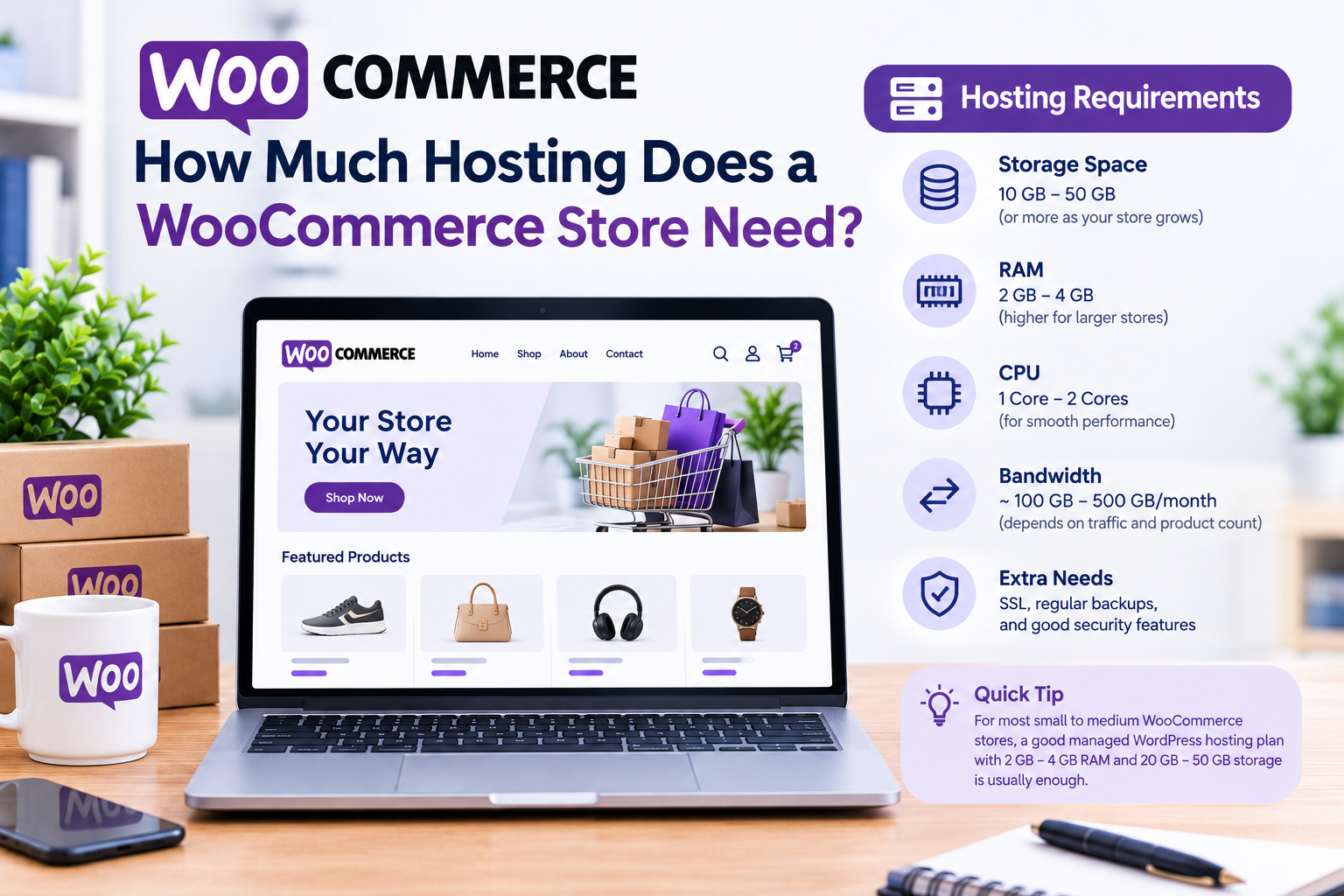
How much hosting does a WooCommerce store need is really a question about resources, not features: how much storage, how much processing power, and how many visitors your server can handle at once before things slow down.
This guide puts rough numbers to that question, sized by store stage, using Hostinger‘s plans as a real example. Use it to size your hosting correctly from the start.
Disclosure: HostingPlanGuide earns a commission if you buy through our links, at no extra cost to you. We still note where a plan’s resources may fall short as you grow, so you can decide with the full picture.
Quick Answer: Sizing Your WooCommerce Hosting
A brand-new store can start on an entry shared plan. A store with regular daily orders needs more storage and faster drives. A store seeing hundreds of orders a day, or expecting big sales spikes, generally needs dedicated or cloud resources rather than basic shared hosting.
WooCommerce Resource Needs by Store Stage
| Store Stage | Orders per Day | Storage | Hostinger Example |
|---|---|---|---|
| Just launched | 0–5 | 5–10 GB | Premium (20 GB SSD) |
| Growing steadily | 5–30 | 10–25 GB | Unlimited (50 GB NVMe) |
| Established | 30–100 | 25–50 GB | Unlimited, watch resource usage |
| High volume or spiky | 100+ | 50 GB+ | Cloud Startup or higher |
Figures are general planning estimates, not fixed rules; actual usage depends on image sizes, plugins, and traffic patterns. Hostinger prices from its pricing page, October 2026, for 48-month shared terms, excluding VAT.

What “Enough Resources” Actually Means for a Store
Three resources matter most for WooCommerce specifically: storage for your catalog and database, processing capacity to handle checkout calculations, and bandwidth to serve pages and images to every visitor, not just buyers.
A store doesn’t need to be huge to strain shared resources. Product variations, customer accounts, order history, and reviews all add database weight that a simple blog never accumulates, which is why a modest-looking store can use more resources than its visible size suggests.
Storage: What Actually Fills Up
Product images are usually the biggest storage consumer, especially with multiple photos per product and any zoom or gallery images. Your WooCommerce database grows steadily too, with every order, customer record, and product review adding to it over time.
A new store with a small catalog typically fits comfortably within 10 GB. A growing store with a few hundred products and a year or two of order history often needs 25 GB or more, which is why Hostinger’s Unlimited plan, with 50 GB, gives meaningfully more headroom than Premium’s 20 GB.

Processing Power: Why Checkout Needs More Than Browsing
Browsing a product page is relatively light on server resources. Checkout is heavier: calculating taxes and shipping, validating payment details, updating inventory, and sending confirmation emails all happen in quick succession, often for multiple customers at once during busy periods.
This is where storage type matters alongside capacity. Hostinger’s Unlimited plan uses NVMe storage, which processes these database-heavy operations faster than the SSD storage on Premium, a difference that becomes more noticeable as your order volume grows.
Bandwidth: Accounting for Browsers, Not Just Buyers
Every visitor who browses your store uses bandwidth, whether they buy or not, and product images typically make each page heavier than a text-based blog post. A store with a healthy amount of browsing traffic relative to its order count needs more bandwidth capacity than the order count alone would suggest.
Shared hosting plans with fair usage policies generally handle moderate browsing traffic well. If you notice slowdowns during normal browsing hours, not just during checkout, that’s often a bandwidth or overall resource signal worth investigating.
Signs You’ve Outgrown Your Current Resources
- Checkout feels slow or times out during normal, non-peak hours.
- Your host flags high resource usage in your account dashboard or via email.
- Product uploads or image uploads start failing without a clear error.
- A sale or launch causes noticeable slowdowns or errors rather than just higher traffic.
Any of these are a sign to check your current plan’s resource usage and consider upgrading before the problem gets worse, not after.
A Simple Way to Estimate Your Own Needs
- Count your current product count and average image size to estimate your catalog’s storage footprint.
- Look at your average and peak daily orders from the past few months, if you have history to check.
- Factor in your non-buying traffic, since browsers use resources too, not just buyers.
- Add headroom for growth, rather than sizing exactly to today’s numbers.
- Re-check every few months, since a growing store’s needs shift faster than a typical blog’s.
For a broader comparison of hosting features for WooCommerce specifically, see our guide on best cheap hosting for a new website.

People Also Ask: How Much Hosting Does a WooCommerce Store Need
How much storage does a small WooCommerce store need?
A small store with a modest catalog typically fits within 10 GB, especially early on. As your catalog and order history grow, 20 to 50 GB gives more comfortable headroom.
How many orders a day can shared hosting handle?
This varies significantly by host and specific plan, but well-optimized shared hosting often handles up to a few dozen orders a day reasonably well. Higher, sustained order volumes generally benefit from more dedicated resources.
Does browsing traffic matter as much as order volume for sizing hosting?
Yes. Every visitor who browses uses server resources and bandwidth, regardless of whether they buy. A store with high browsing traffic but modest sales still needs hosting sized for that traffic, not just its order count.
Why does checkout need more server resources than browsing?
Checkout involves multiple real-time calculations and database writes, like inventory updates and tax calculations, happening in quick succession. Browsing a product page is comparatively lighter on server resources.
Should I upgrade my hosting before a big sale?
If you expect significantly higher traffic or order volume than normal, yes. Checking your current resource usage and upgrading ahead of time is safer than discovering a shortfall during the sale itself.
How often should I re-evaluate my WooCommerce hosting resources?
Every few months is a reasonable check-in for an actively growing store, since order volume, catalog size, and traffic can shift faster than for a typical blog or content site.
Final Verdict: How Much Hosting Does a WooCommerce Store Need
Size your WooCommerce hosting by storage, processing power, and bandwidth together, not any one alone, and factor in browsing traffic alongside order volume. A new store starts comfortably on an entry shared plan; a growing one benefits from more storage and faster drives; a high-volume or spiky store needs dedicated or cloud resources.
Hostinger’s Premium plan fits most new WooCommerce stores, while Unlimited’s NVMe storage and daily backups suit a steadily growing one. Revisit your sizing every few months, since a store’s resource needs tend to shift faster than expected.