WordPress vs Website Builders for a New Website
If you’re starting from zero, the WordPress vs website builders question for a new website isn’t really about which platform is “better” in the abstract. It’s about what happens six months from now, and whether today’s shortcut becomes tomorrow’s rebuild.
This guide looks at that decision specifically through the lens of a brand-new site, using Hostinger‘s options as a real example, since it offers both a traditional WordPress path and its own AI website builder.
Disclosure: HostingPlanGuide earns a commission if you buy through our links, at no extra cost to you. We still point out where an early choice can cost you later, so you can decide with the full picture.
Quick Answer: What Should a New Site Choose?
If you’re unsure whether your site will stay simple, lean toward WordPress. The slightly steeper start avoids a costly rebuild if your needs grow. If you’re certain your site will stay small and simple, a website builder gets you live faster with less to learn.
The New-Website Decision at a Glance
| Question to Ask Yourself | Leans WordPress | Leans Website Builder |
|---|---|---|
| Will I add features later? | Yes, or not sure | No, needs are fixed |
| How fast do I need to launch? | A bit of setup time is fine | Today, with minimal setup |
| Might I switch hosts later? | Yes, want that option open | Unlikely to matter |
| How technical am I? | Comfortable learning a new tool | Prefer the simplest possible path |
General guidance based on typical WordPress and website builder products as of October 2026.
Why This Decision Matters More at the Start
Switching platforms after launch is far more work than choosing carefully at the start. A website builder site generally can’t be exported into WordPress directly, which means moving later often means rebuilding from scratch, not just migrating files.
That’s the real stakes of this decision for a new site: not which tool is “best,” but which one you’re least likely to outgrow before you’re ready to rebuild.
The Case for Starting With a Website Builder
If your new site has a clear, fixed purpose, like a simple portfolio, a one-page business card site, or a landing page for an event, a website builder can be the right call from day one.
Hostinger’s AI website builder generates a starting layout from a short description, then lets you edit visually. For a genuinely simple project, this can mean a live site within the hour, with far less to learn than setting up WordPress themes and plugins.

The Case for Starting With WordPress
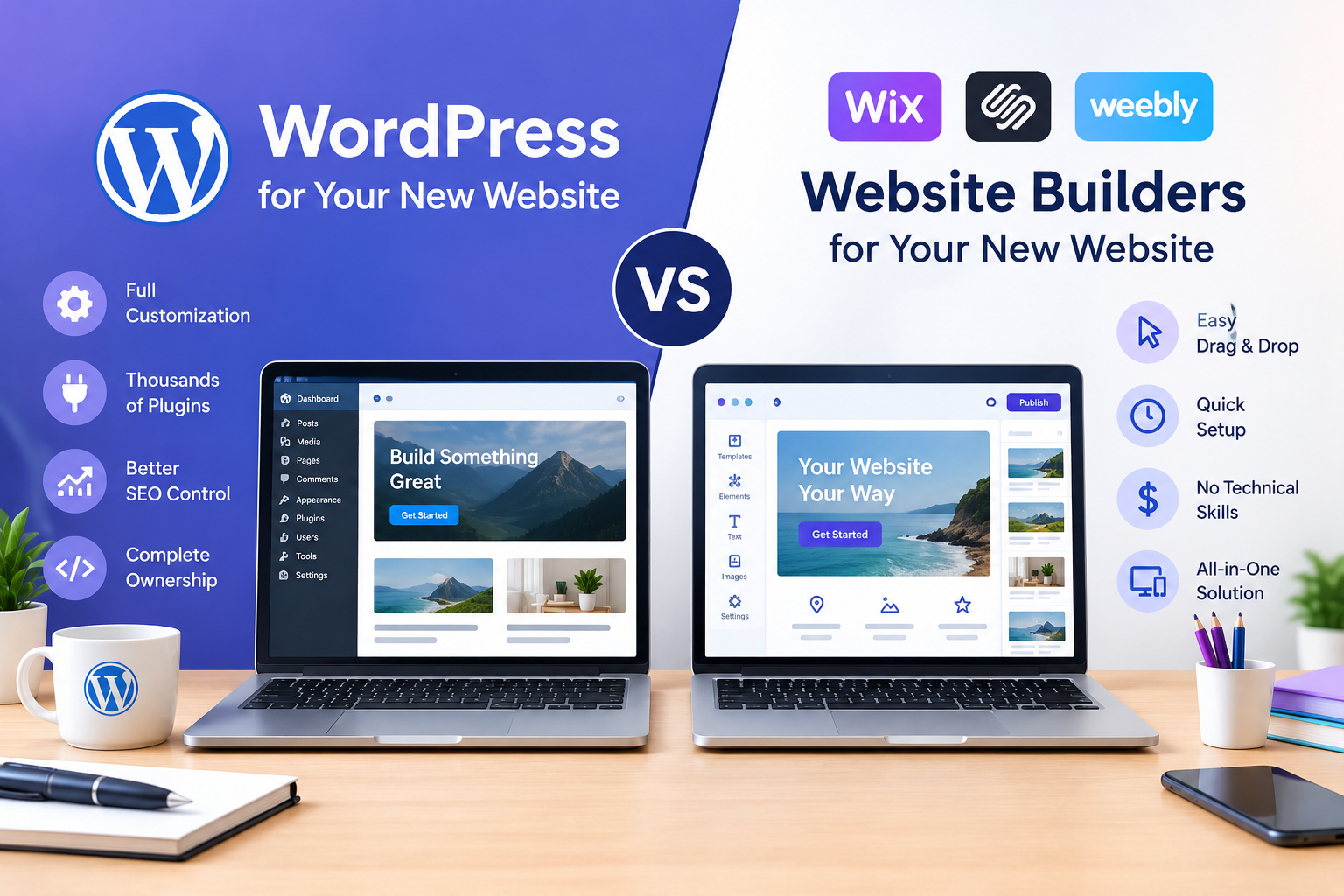
If there’s any real chance your new site grows, adds a blog, becomes a business tool, or needs a feature you haven’t thought of yet, starting with WordPress keeps that door open without a rebuild later.
Hostinger’s Premium and Unlimited plans both include one-click WordPress installation, so the setup gap with a website builder is smaller than it used to be. You trade a bit more initial learning for a platform that can grow with you, and that you can move to a different host if you ever need to.
Questions to Ask Before You Decide
- Is this site’s purpose likely to stay exactly as it is today? If yes, a builder is a safe, simple choice.
- Could this turn into a business tool later, like adding a store, bookings, or memberships? If there’s a real chance, start with WordPress.
- How much time do I have to learn a new tool right now? If very little, a builder’s simplicity may outweigh WordPress’s flexibility, at least for now.
- Would I regret being locked into one platform? If keeping options open matters to you, WordPress’s portability is worth the extra setup step.
A Middle Path: Start Simple, But on WordPress
You don’t have to choose between “simple” and “WordPress.” A basic WordPress theme, combined with just a few essential plugins, can launch nearly as quickly as a website builder, while still leaving room to grow later without starting over.
Hostinger’s one-click installer, paired with a lightweight starter theme, is a reasonable middle ground for a new site owner who wants speed now without closing off options for later. For a full look at hosting plans that support this approach, see our guide to the best cheap hosting for a new website.

People Also Ask: WordPress vs Website Builders for a New Website
Is it harder to switch from a website builder to WordPress later than starting with WordPress?
Generally yes. Most website builders don’t export directly to WordPress, so switching later usually means rebuilding your site rather than migrating it. Starting with WordPress avoids that extra work if you end up needing it.
Can a beginner really use WordPress for their very first website?
Yes, especially with a one-click installer and a simple starter theme. It takes a bit more initial setup than a website builder, but the core process is manageable for most first-time site owners.
What if I’m not sure whether my site will grow?
When in doubt, leaning toward WordPress is usually the safer long-term choice, since it keeps more options open. The extra setup time upfront is generally smaller than the cost of rebuilding later.
Do website builders cost less than WordPress for a new site?
It depends on the specific products you compare. WordPress itself is free, and hosting costs vary either way, so compare actual plan prices rather than assuming one route is always cheaper.
Is a website builder good enough for a small business’s first website?
It can be, for a simple business site with fixed needs, like hours, location, and contact information. If you expect to add a store, bookings, or a blog later, WordPress offers a clearer growth path from the start.
How long does it take to set up a new WordPress site compared to a builder?
A basic WordPress site can go live within an hour or two using a one-click installer and a simple theme. A website builder can sometimes be a bit faster still, particularly for very simple, single-page sites.
Final Verdict: WordPress vs Website Builders for a New Website
For a brand-new site, the real question isn’t which platform is better, it’s which one you’re less likely to outgrow. If your project’s needs are genuinely fixed and simple, a website builder gets you live fastest. If there’s any real chance of growth, WordPress’s extra setup time is usually worth avoiding a rebuild later.
Hostinger supports both paths from a single starting point: one-click WordPress installation on its shared plans for long-term flexibility, or its AI website builder when speed matters most. Choose based on where your site is headed, not just where it starts.