How to Choose Hosting Based on Website Security
Knowing how to choose hosting based on website security protects more than your files. It protects your visitors’ data, your search rankings, and the time you would otherwise spend cleaning up after a hack.
This guide covers the security features worth checking before you buy, using Hostinger‘s plans as a real example. Use it to separate genuine protection from marketing language.
Disclosure: HostingPlanGuide earns a commission if you buy through our links, at no extra cost to you. We still note where a plan’s security coverage has limits, so you can decide with the full picture.
Quick Answer: What Security Features to Look For
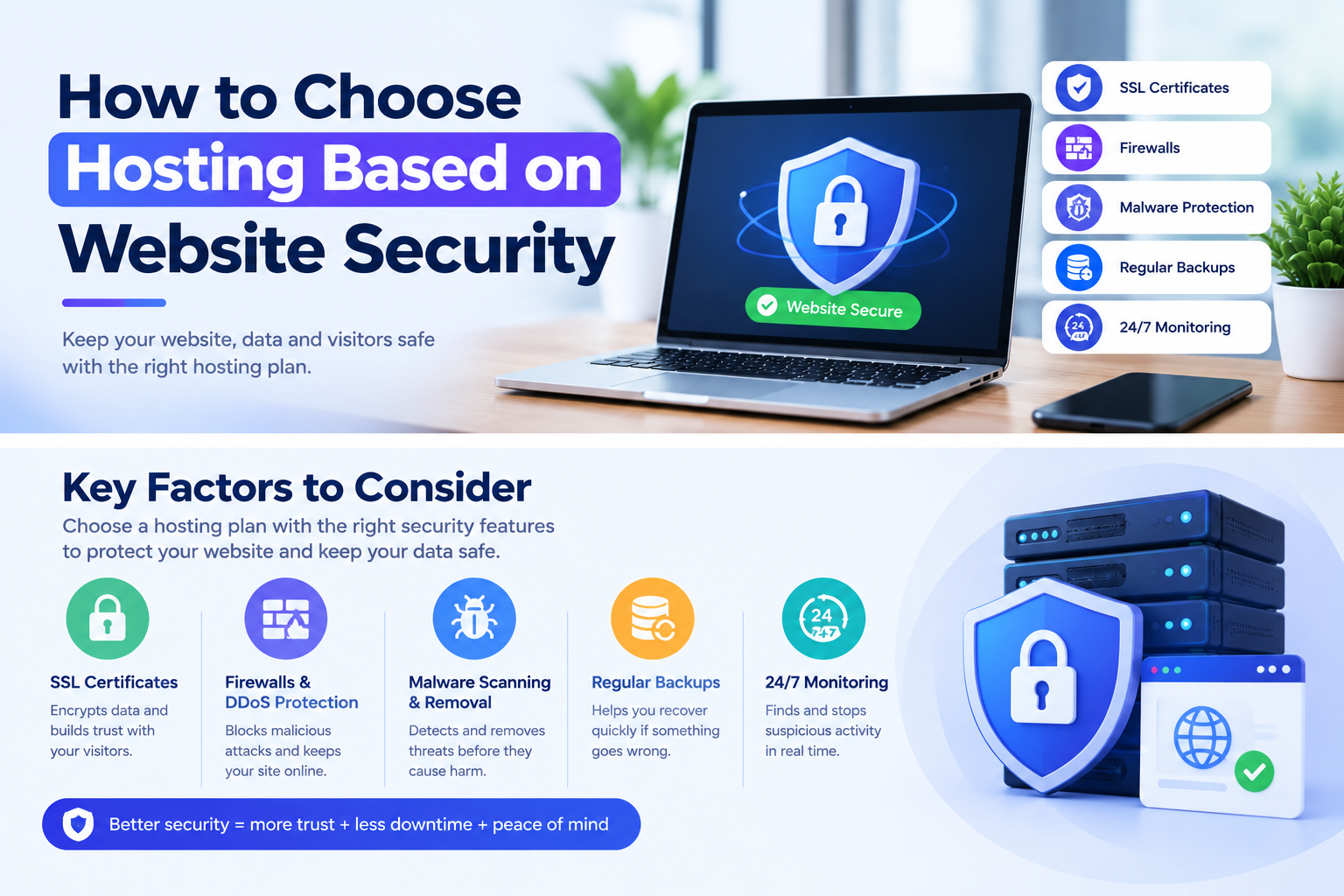
Look for free SSL, malware scanning, a firewall, DDoS protection, and regular backups. Together, these cover the most common threats a small website actually faces, without requiring separate paid add-ons.
Security Features Compared
| Security Feature | Why It Matters | Hostinger Premium | Hostinger Unlimited |
|---|---|---|---|
| SSL certificate | Encrypts data between visitor and site | Free, unlimited | Free, unlimited |
| Malware scanning | Catches threats early | Included | Included |
| DDoS protection | Guards against traffic-flood attacks | Included | Included |
| Backups | Recovers your site after an incident | Weekly | Daily, easy restore |
Hostinger figures from its pricing page, September 2026, for 48-month terms, excluding VAT.

1. Free SSL, Not an Add-On
An SSL certificate encrypts data traveling between your visitor’s browser and your server, and it shows the padlock icon that signals trust. Without it, browsers actively warn visitors that your site is not secure.
Hostinger includes free, unlimited SSL on every shared plan, activated automatically. Treat this as non-negotiable; any host that charges extra for basic SSL in 2026 is behind the standard.
2. Active Malware Scanning
Malware can slip in through outdated plugins, weak passwords, or vulnerable themes. Scanning tools catch this early, often before it spreads or gets flagged by search engines.
Hostinger includes built-in malware scanning across its shared plans. Still, scanning works best alongside good habits on your end, like keeping plugins updated and using strong passwords.
3. DDoS Protection
A DDoS attack floods your server with fake traffic, aiming to knock your site offline. Even small sites get hit by automated attacks, not just high-profile targets.
Hostinger includes DDoS protection on its shared hosting plans. This kind of protection typically works in the background, so you won’t notice it unless an attack is actually attempted.

4. Backup Frequency and Restore Options
No security setup is perfect, so backups are your last line of defense. If something does get through, a recent backup can undo the damage in minutes instead of days.
Hostinger includes free weekly backups on Premium, and daily backups with easy restore on Unlimited. If your site handles sensitive visitor data or updates often, the daily option is worth the small price difference.
5. A Firewall at the Server Level
A firewall filters out malicious traffic before it reaches your site’s files. Server-level firewalls catch threats that a plugin alone might miss, since they operate before requests even hit WordPress.
Check whether your host’s firewall runs at the server level or relies entirely on a plugin you install yourself. Server-level protection generally responds faster and doesn’t add load to your own site’s resources.
Sites That Need Extra Security Attention
Some sites carry more risk than others, and it’s worth matching your hosting choice to that risk level.
- Online stores. Handling payment and customer data raises the stakes if something goes wrong.
- Membership or login-based sites. Stored user credentials are a common target.
- Sites with many contributors. More logins mean more chances for a weak password to cause a breach.
- Sites collecting personal information. Contact forms, sign-ups, and surveys all carry a responsibility to protect what they collect.
For these cases, daily backups and a proactive firewall matter more than for a simple personal blog.
What You Still Need to Do Yourself
No host can fully protect a site from weak habits on your end. These steps matter regardless of which host you choose.
- Use strong, unique passwords for your hosting account, WordPress admin, and email.
- Keep plugins and themes updated. Outdated software is one of the most common ways sites get compromised.
- Limit login attempts. This slows down automated attacks trying to guess passwords.
- Remove plugins and themes you don’t use. Inactive software can still carry vulnerabilities.
- Keep a copy of your own backups in addition to whatever your host provides.
Curious how security fits into the bigger picture of choosing a plan? See our guide to the best cheap hosting for a new website.
People Also Ask: How to Choose Hosting Based on Website Security
Is free SSL as secure as paid SSL?
For most small to mid-sized sites, yes. Free SSL certificates use the same encryption standards as paid ones; paid certificates mainly add extra validation features that larger businesses sometimes need.
Do I still need a security plugin if my host offers protection?
It depends on what your host includes. A host with built-in malware scanning, a firewall, and DDoS protection covers most needs, though many site owners still add a plugin for extra login and activity monitoring.
How often should a website be backed up for security purposes?
Weekly backups are a reasonable minimum for most small sites. Sites that handle sensitive data, process payments, or update frequently benefit from daily backups instead.
Can shared hosting be secure enough for an online store?
It can be, provided the host includes strong baseline security like SSL, malware scanning, and daily backups. Larger or high-risk stores may eventually outgrow shared hosting for other reasons, like performance.
What is the biggest security risk for a small website?
Outdated plugins and weak passwords account for a large share of small site compromises. Good hosting security helps, but it can’t fully offset poor habits on the site owner’s side.
Does DDoS protection matter for a small website?
Yes. Automated attacks don’t always target specific sites; many scan broadly for any vulnerable target. Baseline DDoS protection is worth having even for small, low-traffic sites.
Final Verdict: How to Choose Hosting Based on Website Security
Good hosting security means free SSL, active malware scanning, a firewall, DDoS protection, and reliable backups, all included without extra fees. Sites handling payments, logins, or personal data should lean toward the plan with daily backups.
Hostinger’s Premium and Unlimited plans both include the core security features most small sites need, with Unlimited adding daily backups for sites that carry more risk. Pair either plan with strong passwords and regular updates on your end.