What Do You Need to Build a Website in 2026?
The short answer to what you need to build a website in 2026: a clear goal, a domain, hosting, a platform to build on, a handful of essential pages, and basic content to fill them. That’s the full list. Everything else, fancy animations, custom code, a big content library, is optional polish you can add later.
Below, we break that list down item by item, so you know exactly what to gather before you start, what each piece costs, and what you can safely skip for a first launch. If you want the step-by-step process instead of the shopping list, our guide on how to start a website from scratch walks through the sequence in order. You’ll also find answers to the questions beginners ask most.
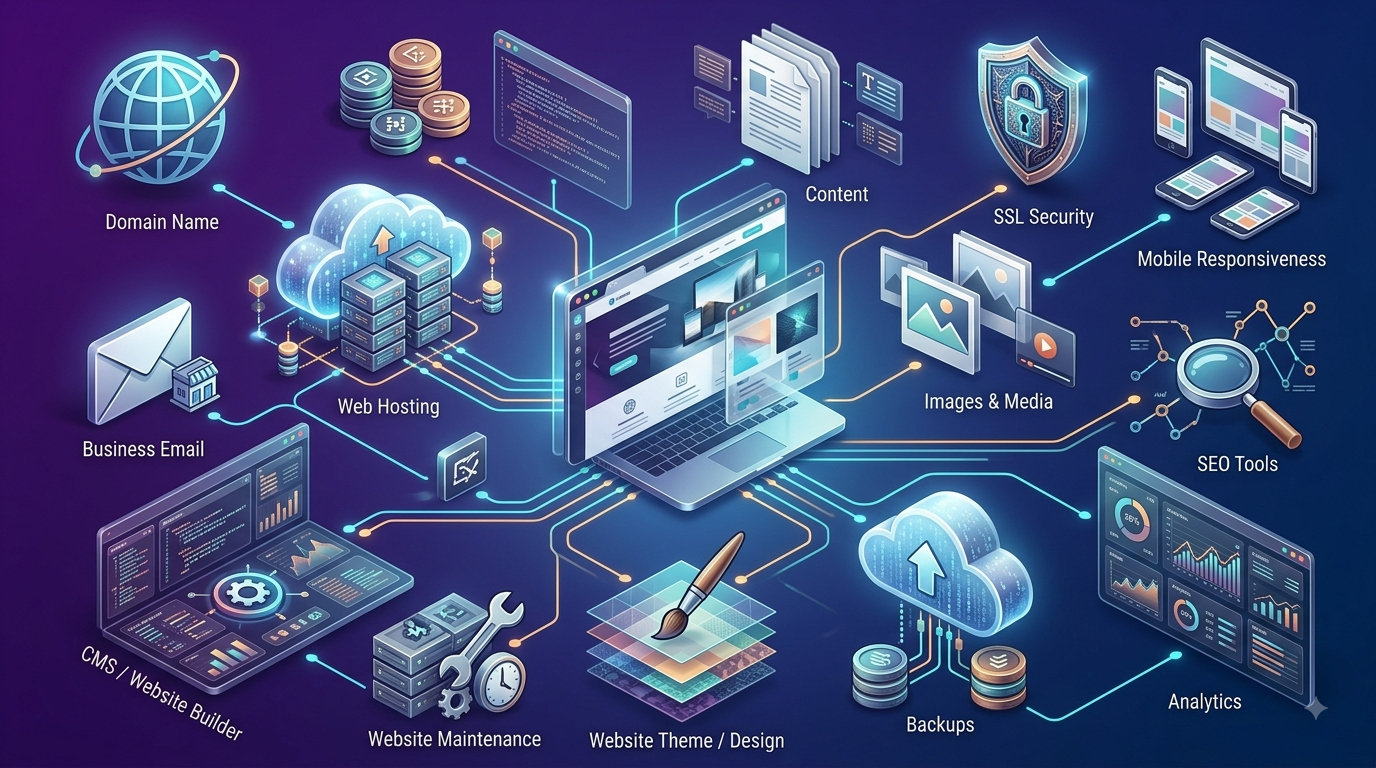
The Essentials Checklist
1. A Clear Goal
Every website needs to answer one question fast: what should a visitor do next? A portfolio, a local business page, and an online store all need different priorities, so nail this down before anything else. Skipping it is the single biggest reason people end up rebuilding a site months later.
2. A Domain Name
This is your address online, the name people type to find you. A domain typically costs $10–$20 a year on its own, though many hosting plans include one free for the first year.
3. Web Hosting
Hosting is the storage space where your site’s files actually live. For a first project, shared hosting from a beginner-friendly provider is the standard starting point, typically $2–$10 a month. Our hosting plan checklist covers what to compare in more detail.
4. A Platform to Build On
This is the software or tool you’ll actually use to create pages. A CMS like WordPress offers the most flexibility, while a drag-and-drop builder bundles hosting and design into one simpler package. Either works fine for a first site.
5. A Free SSL Certificate
SSL encrypts data between your site and its visitors, and it should be free and included on any modern hosting plan. Without it, browsers flag your site as “Not Secure,” which quietly hurts trust and conversions.
6. A Handful of Essential Pages
You don’t need a 20-page site to start. Most small websites launch successfully with just: Home, About, Services or Products, and Contact. A few also add a simple Privacy Policy page, especially if you’re collecting any visitor information through a form.
7. Basic Content and Images
Each core page needs enough text to explain what you do and who it’s for, plus a handful of relevant, properly sized images. Oversized, unoptimized images are the most common cause of a slow first page load, so resize them before uploading.
8. A Way for Visitors to Reach You
A contact form, a listed email address, or both. This sounds obvious, but it’s one of the most commonly forgotten pieces on a first build, and it’s often the single most important element on the entire site for actually converting a visitor into a customer.
Worth Adding, But Not Required for Launch
These items add real value but shouldn’t hold up your launch if you’re missing them on day one:
- Analytics: A tool like Google Analytics to see where your traffic comes from and how people use your site.
- Email marketing signup: A simple newsletter form to stay connected with visitors after they leave.
- Social proof: Testimonials, reviews, or case studies, once you have a few to show.
- Live chat: Useful for service businesses, but easy to add after launch rather than before.
- Blog content: Valuable for long-term SEO, but not a launch requirement. It’s fine to add gradually once your core pages are live.

What This Actually Costs Together
Once you add up the essentials rather than the optional extras, a first website is genuinely affordable. A domain and hosting bundled together typically run $30–$100 for the first year on a budget host, especially when the domain and SSL come free with the plan. Beyond that, a free WordPress theme and your own content mean you can realistically launch a working site for well under $100.
Where costs climb is almost always in the “worth adding” category above: premium themes, custom design work, or paid plugins. None of those are required to get a first version of your site live and working.
One Signup Covers Most of This List
Several of the essentials above, domain, hosting, SSL, and a platform, can come from a single provider instead of being pieced together separately. Hostinger’s Premium plan, starting around $2.69/month, bundles a free domain for the first year, free SSL, and one-click WordPress installation into one signup. Its AI website builder is also available if you’d rather use a drag-and-drop platform instead of WordPress.
A few specific advantages for someone gathering these pieces for the first time:
- A domain search built directly into checkout, so you’re not managing two separate signups.
- Templates organized by site type, covering most of the “essential pages” list out of the box.
- 24/7 live chat support if you get stuck gathering any of these pieces.
- A 30-day money-back guarantee, so there’s no real risk in getting started.
People Also Ask
What is the minimum you need to build a website?
At minimum, you need a domain name, hosting, a platform to build on, and a few core pages with basic content. Everything else, analytics, blog content, live chat, can be added after launch without any real downside.
Can I build a website without any technical skills?
Yes. Content management systems like WordPress and drag-and-drop website builders are both designed for people with no coding background, and most hosting providers include one-click installation to simplify setup further.
How many pages does a website actually need?
Most small business or personal sites work well with just four or five: Home, About, Services or Products, Contact, and sometimes a Privacy Policy. You can always expand later as your content grows.
Do I need my own photos, or can I use stock images?
Stock images work fine for a first launch, especially for background or supporting visuals. For anything representing your actual product, team, or work, original photos build more trust and are worth prioritizing when your budget allows.
Is a website builder or WordPress better for a first site?
Neither is universally better. A website builder is simpler and bundles everything together, while WordPress offers more flexibility and control as your site grows. Most beginners do well with either, so the choice often comes down to how much long-term flexibility you expect to need.
Final Takeaway
What you need to build a website really does fit on one short list: a goal, a domain, hosting, a platform, a few core pages, and basic content. Everything past that is optional polish you can layer on once the essentials are live. Hostinger covers several of these pieces, domain, hosting, SSL, and WordPress setup, in a single signup, which makes it a practical starting point if you’d rather not manage separate providers for each item. For the step-by-step version of this same process, see our guide on how to start a website from scratch.