What Is cPanel and Do I Need It?
cPanel is one of the first unfamiliar terms new website owners run into. If you’ve signed up for hosting and been handed login details for it, you’re not alone in wondering what it actually does. It sits alongside a dashboard full of icons that can look overwhelming at first glance. The good news is that it’s simpler than it looks, and whether you actually need it depends more on your host than on you.
Below, we explain what this tool does, walk through its core features, and cover when you genuinely need it versus when a modern alternative works just as well or better. You’ll also find answers to the questions people ask most about hosting control panels in general. If you’re still deciding on a host entirely, our guide on what web hosting is and how it works is a good starting point.
A Quick Definition
cPanel is a graphical dashboard that lets you manage your hosting account without touching a command line. Instead of typing raw server commands into a black terminal screen, you click through a visual interface to handle files, email accounts, databases, and security settings. Think of it as the control center that bridges you and the powerful server your website actually lives on.
This particular tool has been around since 1996 and remains the most widely used hosting control panel in the industry, running on more than 1.4 million active servers today. It’s typically paired with WHM (Web Host Manager), a related piece of software that operates at the server or reseller level, while the account-level dashboard is what individual website owners actually log into day to day.
What You Can Actually Do Inside It
Once you’re logged in, the tools are grouped into a few practical categories:
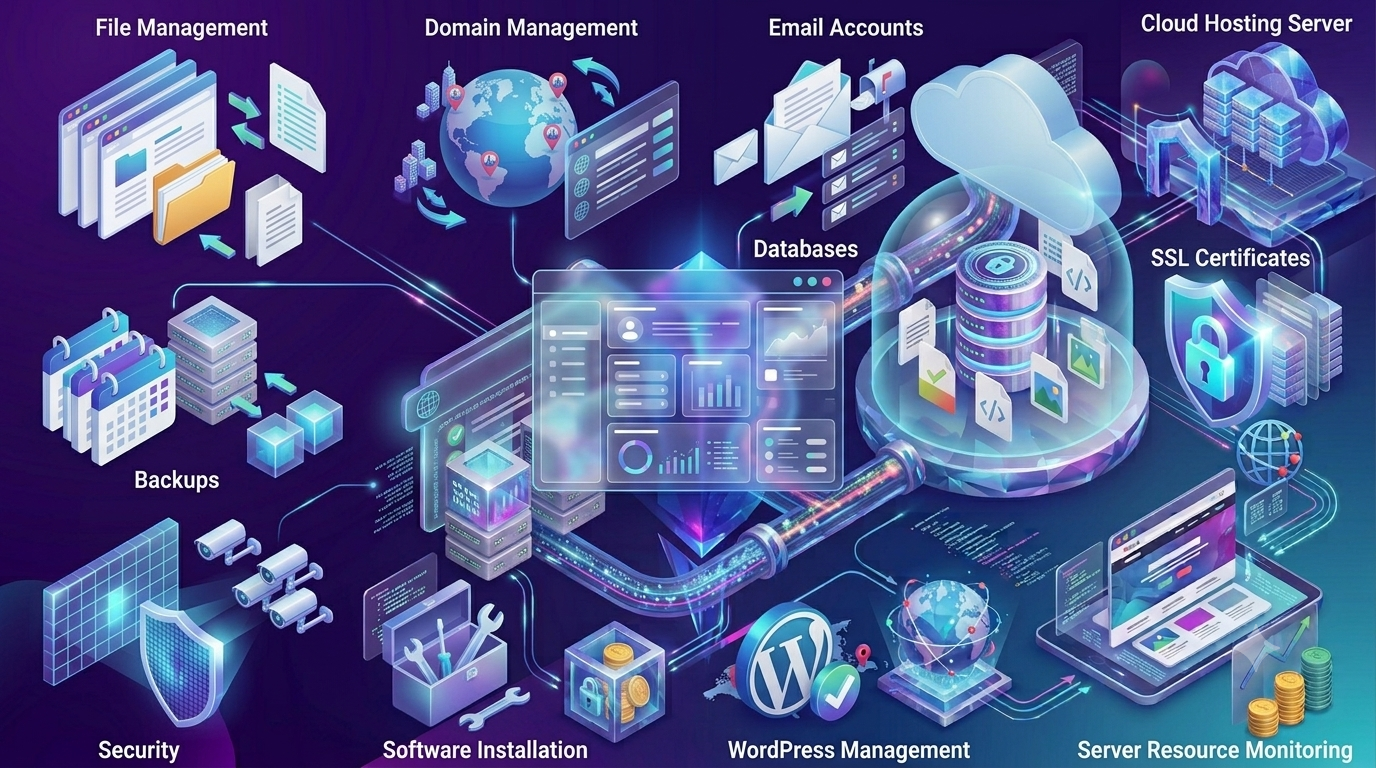
- File management: Upload, edit, and organize your website’s files directly through a browser-based file manager.
- Email accounts: Create and manage professional email addresses tied to your domain.
- Databases: Set up and manage MySQL databases, which most website platforms, including WordPress, rely on to store content.
- Domains and subdomains: Add domains, create subdomains, and set up redirects without needing to edit DNS records manually.
- Security tools: Issue free SSL certificates, monitor resource usage, and manage backups of your files and databases.
- Software installers: Most setups include one-click installers for WordPress and other popular content management systems.
So, Do You Actually Need It?
This is where a lot of confusion sets in. It’s a tool, not a requirement. What actually matters is whether your hosting account gives you an easy way to manage files, email, and databases, regardless of which specific dashboard it uses. In 2026, this software has genuine competition from custom-built alternatives, and several major hosts have moved away from it entirely.
Here’s how to think about it depending on your situation:
- You’re already comfortable with it: If you’ve used it before, sticking with a provider that offers it means no learning curve. Familiarity has real value here.
- You’re a complete beginner: A newer, simplified dashboard may actually be easier to learn than a dense grid of icons, even though the classic option has excellent documentation.
- You manage multiple client sites: This setup paired with WHM is well established for agencies and resellers, letting you isolate each site’s environment cleanly.
- You just want to run WordPress simply: Many modern hosts offer their own streamlined panels built specifically around WordPress management, which can be a smoother experience for that single purpose.
It’s also worth knowing that no control panel is immune to security issues. In May 2026, a critical authentication bypass vulnerability was disclosed affecting certain misconfigured setups on this platform specifically, a reminder that whatever dashboard you use needs to stay updated and properly secured by your host. You can read the official advisory directly on the cPanel security page.
Classic Panel vs Modern Custom Dashboards
| Factor | cPanel | Modern Custom Panel |
|---|---|---|
| Familiarity | Industry standard, widely documented | Varies by host, less universal |
| Learning curve | Dense interface, can overwhelm beginners | Often simplified for first-time users |
| Agency/reseller tools | Strong, via WHM | Varies, sometimes more limited |
| Cost to host | Licensing cost, sometimes passed to you | Often included at no extra cost |
| WordPress focus | General-purpose, works for any CMS | Sometimes purpose-built for WordPress |
Hostinger Takes a Different Route
Worth noting directly: Hostinger doesn’t use this software. It runs its own custom dashboard called hPanel, built specifically to simplify the tasks beginners actually need, like WordPress installs, file management, and email setup, without the denser interface that comes with a general-purpose tool. If you’re specifically looking for a provider running the classic panel because you’re already familiar with it, Hostinger isn’t the right fit, and a host like InMotion Hosting would suit you better.
If you’re open to either, hPanel offers a genuinely more approachable starting point for a first website, with:
- A cleaner layout organized around common beginner tasks rather than a dense grid of every possible server function.
- Built-in one-click WordPress installation and management, similar in spirit to what’s covered in our guide on registering a free domain with hosting.
- Free SSL activation and file management handled through the same simplified interface.
- No separate licensing cost passed on to you, since it’s Hostinger’s own software.

People Also Ask
What is cPanel used for?
It’s used to manage a web hosting account through a visual dashboard instead of command-line tools. Common tasks include managing files, creating email accounts, setting up databases, installing WordPress, and issuing SSL certificates.
Do I need it to host a website?
No. What matters is having some way to manage your hosting account, whether that’s the classic panel or a host’s own custom dashboard. Many modern providers, including Hostinger, use their own panels instead and work perfectly well without it.
Is it free to use?
Not for the hosting company. It’s licensed software that hosts pay for, and that cost is sometimes reflected in the plan’s price. Custom dashboards built by the host itself often avoid this added licensing cost.
What’s the difference between it and WHM?
The account-level dashboard lets a website owner manage their own hosting. WHM operates at the server level, giving administrators or resellers control over multiple accounts at once.
Is a custom hosting dashboard a good substitute?
Neither option is universally better. The classic panel offers a widely recognized, well-documented interface with strong tools for agencies, while custom dashboards are often more streamlined for beginners and specific use cases like WordPress-only hosting.
Final Takeaway
cPanel is a well-established, reliable way to manage a hosting account, but it’s a tool rather than a strict requirement. What actually matters is whether your host’s dashboard, whichever one it uses, lets you manage files, email, and your website without unnecessary friction. If you specifically want the classic option, choose a host built around it. If you’re open to something more streamlined for beginners, Hostinger’s hPanel is a genuinely capable alternative that covers everything a new website owner needs. For more on choosing the right plan overall, see our full hosting plan checklist.